Insight · Strategy · Excellence

The Intelligence Behind
Exceptional Hospitality

Framework, systems, and structure that let your general managers and owners define, control, and continually improve how their property operates — season after season.

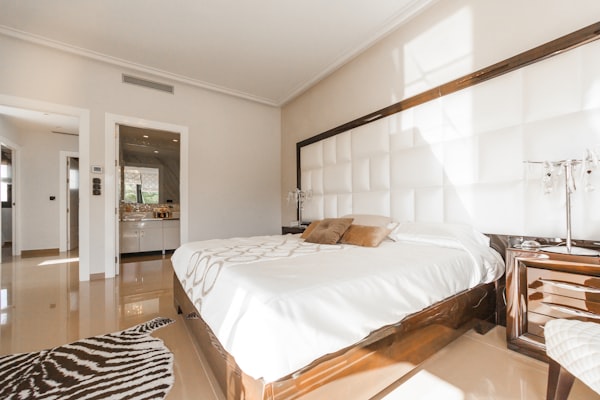
City Hotel
SCROLL

The Right Intelligence
for Lasting Excellence

Hotel Intelligence Services gives hotels, safari lodges, bush camps and tented camps the tools to run their property with consistency, insight, and excellence — season after season, GM after GM.

Whether you manage a city hotel, a five-star resort, a remote bush lodge or a collection of properties across a conservancy, we provide the framework, the systems, and the structure that let your management team and owners define, control, and continually improve how the property operates.

From Front Office check-in procedures to game drive safety protocols, from CapEx approval at a beach resort to an owner signing off a generator replacement at a remote tented camp — one standard of operational discipline, wherever you operate.

TWO SYSTEMS. ONE STANDARD.
Luxury resort pool Safari lodge sunset

You Stay in Command

We don't run your property. Your GM, your owners, your management team retain full authority — we give them the tools to exercise it precisely.

Hotels & Lodges Both

Built equally for city hotels and remote safari operations. Bush dining, askari security, game drive protocols and off-grid ops are covered alongside standard hotel departments.

Continuity Through Change

Systems that survive leadership transitions — GM after GM, season after season, your standards endure regardless of who holds the keys.

Built for Your People

From a Front Office Agent at a five-star city hotel to a field guide at a remote game reserve — every role has a clear, practical standard to operate against.

01
System One

SOP System

A complete, fully branded Standard Operating Procedure platform — 378 SOPs, 74 checklists, 17 departments, delivered on your own server, ready to run on day one.
378 Standard Operating Procedures
74 Department Checklists
17 Departments Covered
490+ Controlled Documents
Safari lodge at sunset
01SYSTEM ONE

HIS SOP System

378 SOPs and 74 department checklists, written to world-class hospitality standards and delivered in one branded portal. Not a blank template pack — a working operations library covering every department a hotel, lodge or safari camp runs.

Every procedure is structured around the operating frameworks taught at the world's leading hospitality schools, including Cornell, and the brand-standard disciplines used by international hotel groups and premier safari operators. Consistent format, clear ownership, version control and audit-ready — whether your property is a city hotel, a coastal resort, a bush lodge or a remote tented camp.

  • You Own the Software

    A full licence to the system for your property. It is yours — not a subscription you rent month to month.

  • Lives on Your Property Server

    Installed and hosted on your own hardware — on-site at the lodge or hotel. Your operational data never leaves the property.

  • Role-Based Access

    GM, Camp Manager, HOD, Field Guide, Staff, Auditor and HQ each see exactly what they should — branded as your own portal.

  • First Year Included

    Free updates and full support for the first 12 months, so you are fully settled before any renewal.

NEW & PRE-OPENING

Open Faster. Run Tighter.

Skip 6–12 months of writing procedures from scratch. Open your hotel, lodge or safari camp with a complete, professionally structured operations manual already in place — then tailor the 5% that makes it yours. Train staff from day one against a real standard, not a half-finished binder or a field guide's memory.

  • ✓ Full library delivered before opening day
  • ✓ Department-ready from front desk to field operations
  • ✓ Staff trained against written standards from shift one
EXISTING & ESTABLISHED

Replace Scattered Knowledge.

Replace the scattered drives, outdated binders, WhatsApp voice notes and tribal knowledge with one current, controlled library. Whether it's a hotel that has grown past its original systems or a lodge where the senior guide holds everything in his head — close the gaps before an audit, a new GM or a key departure finds them first.

  • ✓ Formalise what your best people already know
  • ✓ Close audit gaps before they cost you
  • ✓ Survive the departure of any key person
GROUP-MANAGED PROPERTIES

One Standard. Many Properties.

Deploy a common baseline across your entire portfolio — city hotels, beach resorts, bush lodges and fly camps — while preserving each property's individual identity and brand character. HQ-level access lets head office monitor compliance, audit performance, and push updates across every site simultaneously.

  • ✓ Common standard, individual property identity
  • ✓ HQ pushes updates across all properties at once
  • ✓ Audit any property from group level, live

Every Department. Every Standard.

From city hotel to remote safari camp — 17 departments, 378 procedures, one searchable portal.

DepartmentSOPsLists
Executive Management214
Human Resources244
Finance276
Sales & Marketing224
Revenue Management164
Reservations204
Front Office265
Housekeeping265
Laundry184
DepartmentSOPsLists
Food & Beverage437
Kitchen254
Purchasing184
Stores83
Engineering234
Security204
Quality Assurance183
Safari Operations ★235
TOTAL — all departments37874
Safari Operations is a full standalone department — not a hotel add-on. 23 dedicated SOPs and 5 checklists covering game drives, walking safaris, bush dining, askari security, medevac protocol, off-grid systems, wildlife incident response and more. See the full breakdown below.

Built for the Bush. Not Adapted from a Hotel Manual.

Most lodge operators run on verbal handovers and a senior guide's institutional knowledge. When that guide leaves, the standard leaves with them. The HIS SOP System documents everything your operation depends on — in writing, version-controlled, signed and accessible to every relevant team member.

Game Drive Operations

  • Pre-drive vehicle safety check procedure
  • Guest briefing standard — what to say and when
  • Off-road driving protocols & track discipline
  • Wildlife approach distances by species
  • Sighting etiquette & radio communication
  • Night drive safety & spotlight protocol
  • Emergency breakdown in the field procedure

Bush & Camp Operations

  • Camp opening & closing seasonal procedure
  • Tent / suite preparation standard
  • Bush dining (Bravo Bravo) setup & service
  • Surprise sundowner (Sierra Sierra) protocol
  • Mailbag & cash-in-transit security procedure
  • Off-grid power & water management SOPs
  • Generator failure & load-shedding response

Emergency & Safety Protocols

  • Dangerous animal encounter — on foot protocol
  • Snake bite first response & evacuation SOP
  • Medevac activation & landing zone procedure
  • Guest medical emergency in the field
  • Fire — bush fire response & camp evacuation
  • Flood / weather emergency protocol
  • Incident reporting & documentation standard

Askari & Security

  • Perimeter patrol schedule & reporting standard
  • Armed escort — guest escort to & from tents
  • Intruder (human & animal) response protocol
  • Key control & access management
  • Night watchman handover procedure
  • Incident log and escalation protocol

Guest Experience & Service

  • Guest arrival sequence — airstrip or road transfer
  • Welcome orientation & camp introduction standard
  • Activity scheduling & preferences briefing
  • Dietary, medical & special needs communication
  • Departure procedure & transfer coordination
  • Guest feedback & complaint escalation

Guides, Trackers & Field Staff

  • FGASA / qualification verification & CPD tracking
  • Pre-season guide briefing & standards review
  • Tracker communication & radio protocol
  • Vehicle & equipment daily check & sign-off
  • Guide conduct, guest interaction & tipping standard
  • Duty roster, rest periods & handover procedure

How Deep Does Each SOP Go?

Every document in the library follows the same 12-section structure. Not a bullet-point checklist — a fully governed, version-controlled procedure with ownership assigned at every step. This is the standard that five-star hotel groups and premium lodge operators are expected to maintain.

01
Purpose

One clear sentence: what this procedure achieves and why it exists. Every person reading it knows immediately what success looks like.

02
Scope

Exactly where this procedure applies — which properties, which roles, which scenarios are included and explicitly what is excluded.

03
Definitions

Key terms defined precisely. No ambiguity in terminology — every reader, across every property and nationality, reads the same meaning.

04
Responsibility (RACI)

Every activity mapped to who is Responsible, who is Accountable, who is Consulted and who must be Informed. Ownership is explicit — nothing falls through the gap between two departments.

05
Step-by-Step Procedure

The full action sequence in numbered steps, each with a clear standard or note column. Not "check the room" — "check the room against the departure checklist 09-HK-FRM-04, report any damage before 10:00."

06
Brand & Quality Standards

The non-negotiables that define your property's character — the service tone, the physical standard, the specific touches that are not optional regardless of who is on shift.

07
Health, Safety & Risk

Every relevant risk captured — guest safety, staff safety, data protection, dangerous animal exposure, food handling, chemical handling — with the required standard for each.

08
Equipment, Materials & Forms

Exactly what the procedure requires to execute — named forms, named equipment, referenced checklists. Nothing left to interpretation or memory.

09
Performance Measures (KPIs)

Measurable targets for every procedure — times, percentages, audit scores. Your management team can verify compliance without being present for every execution.

10
Related Documents

Cross-referenced SOPs, forms and corporate standards. The system is interconnected — a Front Office SOP references the Housekeeping checklist it depends on. Nothing operates in isolation.

11
Revision History

Every version, every change, every author — logged permanently. You always know what changed, when it changed, and who authorised it. The document is defensible.

12
Three-Signature Approval

Prepared by · Reviewed by · Approved by. Every SOP is signed into force — it cannot be in use without authorisation. Every update requires the same process. No undated, unsigned documents in circulation.

95%
Already built to your brand standard.

The library is written to international five-star disciplines, so roughly 95% is ready to deploy as-is. Your team makes only the small, property-specific tweaks that reflect your unique facilities, layout and local requirements — you are not starting from a blank page, you are fine-tuning a finished system.

✓ Add your property name & logo
✓ Adjust cut-off times to your schedule
✓ Rename staff roles to your structure
✓ Insert your PMS system name
✓ Add your brand service language
✓ Set your own KPI targets

See exactly what your team receives.

Below is a real, unedited SOP from the HIS library — 08-FO-SOP-21 · Day-Use Room Procedure. This is the standard. Your property adds the 5%.

HOTEL OPERATIONS SYSTEM DAY-USE ROOM PROCEDURE
08-FO-SOP-21 v01 CONFIDENTIAL — INTERNAL USE ONLY

STANDARD OPERATING PROCEDURE

Day-Use Room Procedure

08-FO-SOP-21 — Front Office

Document ID08-FO-SOP-21Versionv01
Document TitleDay-Use Room ProcedureEffective Date30 May 2026
Department08 Front OfficeSupersedesn/a
Property / ScopeAll properties in the groupNext Review30 May 2027
Document OwnerFront Office Manager (Property)ClassificationInternal
1. Purpose

To offer and operate day-use rooms — rooms hired for a portion of the day without an overnight stay — generating incremental revenue while protecting the inventory and the in-house guest experience.

2. Scope

Applies to all day-use room sales at every property: hourly, half-day, day-rate. Excludes wedding or event suites (handled by Sales), early arrivals charged as a fee (handled at check-in), and rooms used as transit / day-room as part of a paid stay package.

3. Definitions
  • Day-use room — A room sold for a portion of the day without overnight stay.
  • Day-use rate — The rate set by Revenue Management — typically 50–70% of BAR.
  • Cut-off — The latest time a day-use stay must vacate the room before night occupancy.
4. Responsibility (RACI)

R = Responsible   A = Accountable   C = Consulted   I = Informed

ActivityRACI
Confirm day-use availability and rateFOAFOMResMgr / RMM
Check in day-use guestFOAFOMEHK
Coordinate cleaning for next occupancyFOAFOMEHK
Check out day-use guest at cut-offFOAFOM
Reconcile day-use revenue at night auditNight AuditorFOMFC
5. Procedure

Day-use is fast turnaround. The discipline is the cleaning window between the day guest and the next overnight occupant.

StepActionStandard / Note
1At enquiry, confirm availability — day-use sold only into rooms not allocated to overnight arrivals.Day-use into pre-blocked rooms is forbidden.
2Confirm the day-use rate. Confirm the cut-off time (typically 18:00 to leave 4 hours for HK before next arrival).Voice the cut-off — "the room is yours until 18:00."
3Standard check-in flow: ID, registration, pre-auth, key.Same process as overnight, shorter form.
4Note in PMS this is a day-use booking with cut-off.Trace the cut-off so HK and the next shift know.
5Brief HK on the day-use booking so they can sequence their cleaning for the next arrival.Day-use room is added to the EHK's afternoon cleaning list.
6At cut-off, courtesy call to the room if the guest has not departed."Just confirming your room is until 18:00 — would you like to extend, or are you all set to leave?"
7Process the day-use departure: collect keys, settle folio, ID and pre-auth release.Standard check-out flow.
8Release the room to HK immediately for cleaning ahead of overnight arrival.EHK prioritises the day-use turnover.
9Reconcile day-use revenue at night audit — separately tracked for RMM reporting.Day-use revenue is a yield metric, not a noise.
6. Brand & Quality Standards
  • Day-use is sold quietly. Walk-in day-use guests are common; the experience is identical to overnight.
  • Cut-off is voiced at booking, voiced at check-in, voiced at courtesy call. Three touches.
  • HK turnover is the property's commitment — day-use never causes a late overnight check-in.
9. Performance Measures (KPIs)
  • Day-use turnover ready for overnight arrival — target 100% on time
  • Day-use revenue contribution — tracked, target set by RMM
  • Cut-off voiced at three touchpoints — target 100% (sample audit)

This is one of 378 SOPs across 17 departments. Every document follows the same structured format — purpose, scope, RACI, step-by-step procedure, KPIs, related documents, signed approval. Your property adjusts the 5% that makes it yours.

Request the Full Library Overview →
02
System Two

CapEx System

Every capital decision controlled, signed and visible — from a single owner-operated lodge to a brand-managed portfolio. One system that adapts to your structure. Branded as your own.

Every capital decision
controlled, signed & visible.

From the first request to the final sign-off — on one screen. A working system, not a concept, ready to run on your own server today. Whether you own one property or twenty, the system scales to your approval structure exactly.

0 paper forms lost
100% audit trail on every approval
1 screen per property or whole group
$0 spent before it is approved

One system. Three types of owner.

Individual Owner-Operated

The owner is the approver.

You run one property, you know every rand spent. The HIS CapEx system gives you a permanent digital record of every capital decision — no more spreadsheets, no more lost invoices. Requests flow from HOD to GM to you. Every approval is signed, dated and stored. When your bank, auditor or insurer asks, you pull up the exact record in seconds.

  • ✓ Owner signs off above your own threshold
  • ✓ HOD submits with motivation + proof of cost
  • ✓ Budget line blocks overspend automatically
  • ✓ Full asset register and replacement forecast
  • ✓ Board-ready reporting at year-end — one click
Hotel Group · Multiple Properties

One screen. Every property.

Each hotel in your portfolio sees only its own requests. Group finance, procurement and the CEO see everything — filtered by property, by category, by spend level. Approval chains auto-scale: a low-value request stays at property level; a high-value spend escalates through group finance to the MD automatically. No manual routing. No chasing.

  • ✓ Property-level isolation — hotels can't see each other
  • ✓ Group dashboard — all properties, live, one screen
  • ✓ CFO / Group Buyer / Category Specialist tier
  • ✓ CEO/MD auto-routed above your value threshold
  • ✓ Consolidated group CapEx budget vs. actual reporting
  • ✓ Branded per property — looks like your own system

One controlled flow, from request to sign-off.

Every request follows the same disciplined path. The system builds the approval chain automatically from the category and the value — bigger spend pulls in more senior approvers. The chain below shows a group structure; for a single property it simply stops at GM / Owner.

Property Level · In Order
Request + scan
Head of Dept (HOD)
Financial Controller
General Manager
Group Level · Same Tier — All Sign at This Level
CFO / Group Finance
Category Specialist
Group Buyer
CEO / MD / Owner — final sign-off above your value threshold
Value Decides Who Signs — Automatically
Low
HOD + GM
Mid
+ Group / Owner level
High
Full sign-off chain
Over threshold
+ CEO / MD / Owner

Everything the system does.

Submit with proof

Motivation plus a scan of the original request attached to every submission. Nothing approved on memory or verbal instruction.

Budget guardrail

No line can overspend its approved budget. Exceeding a budget forces a separate higher-tier special approval — it will never slip through unnoticed.

Digital signatures

Every approve or decline is signed and time-stamped into a permanent, auditable record. No paper. No "I thought you approved that."

Email-link approvals

Approvers act straight from an email notification — no app to install, no separate login, no friction. Click approve or decline, add a comment, done.

Live trace + stall alerts

Submitters see exactly where their request sits at any moment. If it stalls on a desk beyond your configured time-limit, an automatic reminder fires.

Decline with a reason

A rejected request automatically emails the submitter the reason. They refine it and resubmit. Nothing disappears into silence and nothing is re-submitted without improvement.

Live dashboard

Totals, what's in flight, what's approved, what's waiting on whom — at a glance, in real time. Owner or group leadership sees consolidated view; property sees its own.

Lifecycle & replacement forecasting

Every asset is tracked with age, condition and projected replacement date. The system shows you — today — what capital expenditure is coming in years 1, 2 and 3. No more surprise replacements.

Vendor quote comparison

Multiple vendor quotes attach to a single request. Approvers see all options side by side before signing. No approvals without competitive pricing on record.

Board & owner-ready reporting

Year-end, quarterly or on-demand: export a complete CapEx summary — approved, declined, pending, total committed vs. budget — formatted for board or ownership review.

Your data. Your server.

Runs on your own hardware — on-property or group server. No third party holds your capital records. No cloud subscription. Branded entirely as your own portal.

Audit & franchise compliance ready

Walk into any brand audit, owner audit or external review with a single source of truth and a complete signed history. Every decision is defensible. Every cent is traceable.

Before vs. After HIS CapEx.

✗ Without
  • Paper forms & email chains
  • Approvals stuck on desks
  • Owner sees spend too late
  • "Who approved this?" — silence
  • No view across properties
  • Surprise asset failures
  • Vendor invoices without quotes
  • Budget overruns discovered at year-end
✓ With HIS CapEx
  • One controlled digital flow
  • Auto-routed, never stalls
  • Approved before a cent is spent
  • Full signed audit trail, every request
  • Whole group on one screen
  • 3-year replacement forecast always live
  • Competitive quotes required to approve
  • Budget guardrail blocks overspend in real time
Your data, your server, your brand. Runs on your own hardware. No third party holds your capital records. Deployable on a single property or across your whole portfolio. Configure SMTP and go live — it works end-to-end today.

See it run on your property.

Every property is different — ownership structure, approval tiers, number of assets, group or standalone. We configure the system to fit your exact setup and provide a tailored investment proposal.

  • ✓ Once-off licence — not a monthly subscription
  • ✓ Installed and branded on your own server
  • ✓ Configured to your approval structure
  • ✓ Asset register and lifecycle forecast set up
  • ✓ Staff trained and system live
  • ✓ 12 months free updates and support included
  • ✓ Group pricing available for multiple properties
Request a Quotation →

Let's Build Your Framework

Whether you're looking to implement one system or both, we'd love to understand your property and show you how HIS can help.

Email us at hello@hisintel.co.za
Based in Africa & International